

Every few years, a technology crosses from lab curiosity to boardroom budget item. In 2026, AI agents have finally made that crossing: software that plans, decides and acts on its own is quietly rewriting how work gets done, from customer support desks to sales pipelines and back offices.
AI agent development is the process of designing, building and deploying software agents that use large language models to perceive their environment, plan multi-step tasks and act through tools and APIs. For businesses, it turns repetitive workflows into supervised, self-running systems that cut costs and free staff for higher-value work. This guide explains what AI agents are, how development works, what it costs, and how to run a safe pilot in your own company.
Key Takeaways
- An AI agent combines a language model with tools, memory and a planning loop: it acts toward a goal, not just answers questions.
- The biggest 2026 value comes from workflow agents (support triage, lead routing, document processing), not futuristic autonomous systems.
- Reported build costs run from a few thousand dollars for no-code pilots to $100,000+ for custom systems, plus monthly run costs.
- Build-vs-buy hinges on data sensitivity, competitive advantage and team capacity, not on which AI model is newest.
- Production success depends on testing, guardrails and human approval boundaries more than on an impressive demo.
Table of Contents
- What Is an AI Agent?
- How It Works
- Agent Types
- Agent vs Chatbot
- Why Businesses Invest
- The Build Roadmap
- Build or Buy
- Costs in 2026
- Real-World Examples
- Challenges
- Measuring ROI
- FAQs
- Conclusion
What Is an AI Agent in Business?
An AI agent in business is a software system that takes in information from its environment, reasons about it, and takes actions to reach a defined goal, with minimal human direction at each step. Unlike a program that follows fixed rules, an agent powered by artificial intelligence can interpret a request, break it into sub-tasks, call the right tools, and adjust when something unexpected happens.
Five traits separate agents from ordinary software: autonomy, goal-directedness, perception (reading data and messages), memory (context across steps), and tool use (querying databases, calling APIs, updating records). A support agent, for instance, can read a ticket, pull order history, draft a resolution, update the CRM, and escalate to a human only for genuinely complex cases.
The engine is the large language model. OpenAI’s GPT family (GPT-4 arrived in March 2023) and Anthropic’s Claude let software reason in plain language. Frameworks such as LangChain, launched in 2022, made connecting those models to business tools practical.
AI Agent Development: How It Works
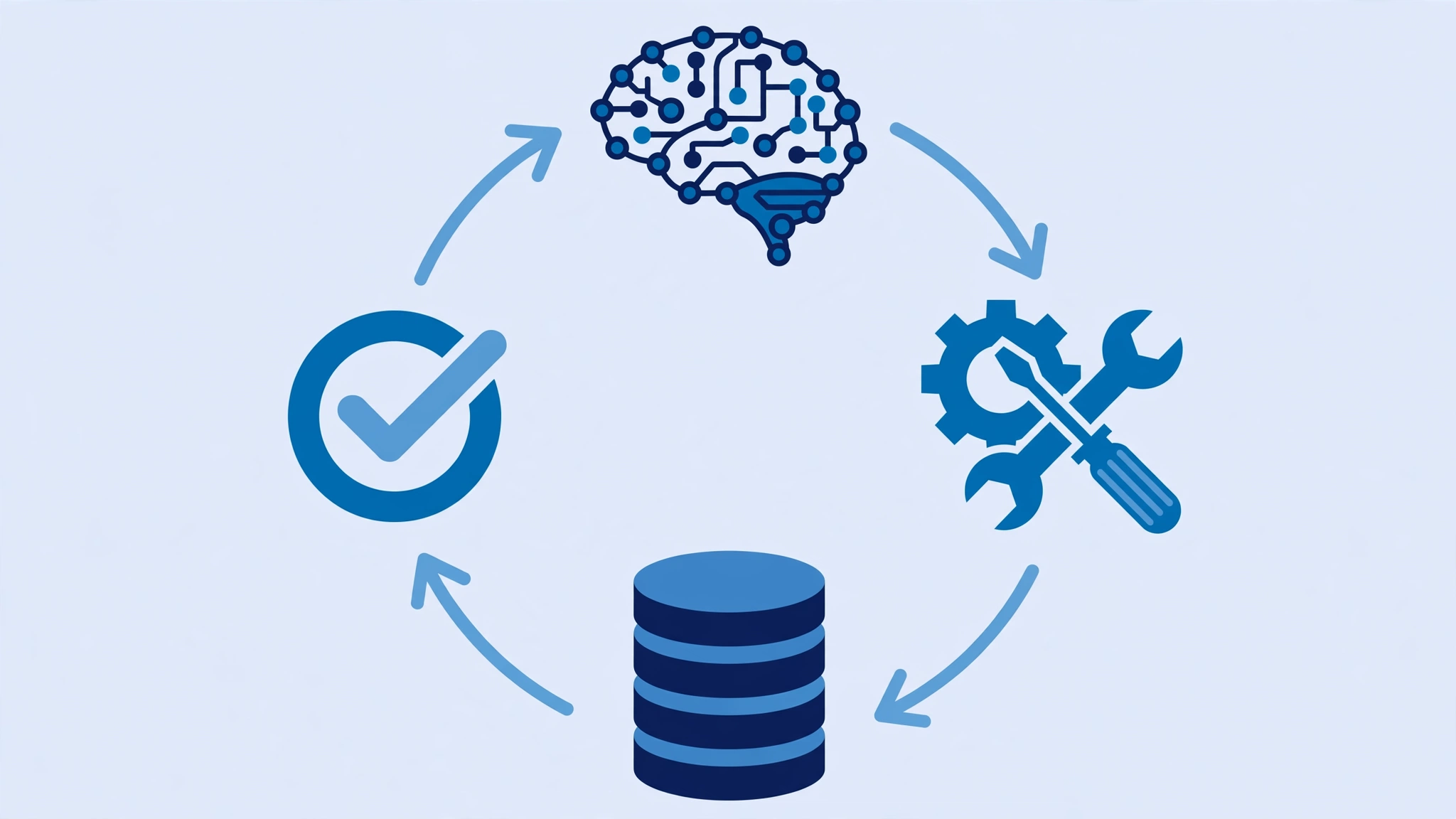
AI agent development follows a loop of perceive, reason, act and observe. The agent perceives its environment (a new email, a ticket, a database change), reasons about the best next step, acts through a tool or API, observes the result, and repeats until the goal is met.
Four components enable the loop. The reasoning model, a large language model, interprets instructions and decides what to do. Tools and integrations (APIs, databases, CRM connections) let it act. Memory, short-term and long-term, carries context. The planning framework, patterns like ReAct (reasoning plus acting) and reflection, structures the decision-making.
The underestimated part is guardrails: permission rules for tools the agent may call alone, approval boundaries for actions needing sign-off, API spending limits, and logging for auditability. The Model Context Protocol (MCP), an open standard Anthropic introduced in late 2024, now simplifies plugging agents into business tools through one shared interface.
Types of AI Agents Businesses Can Build
1. Rule-based and reflex agents. Scripted logic for predictable inputs: FAQ bots, keyword ticket routers. Cheap and reliable in a narrow scope, helpless with ambiguity.
2. Knowledge and RAG agents. These answer from your own documents via retrieval-augmented generation. A policy assistant citing the handbook is typical, and RAG curbs hallucination.
3. Autonomous workflow agents. Where most 2026 mid-market value sits: LLM agents that grasp context, call tools, update records and loop until done, from invoice processing to lead qualification.
4. Multi-agent systems. Specialized agents in planner, worker and critic roles coordinate on complex work. Frameworks such as CrewAI and AutoGen (now AG2) are built for this pattern.
AI Agent vs Chatbot: Understanding the Difference
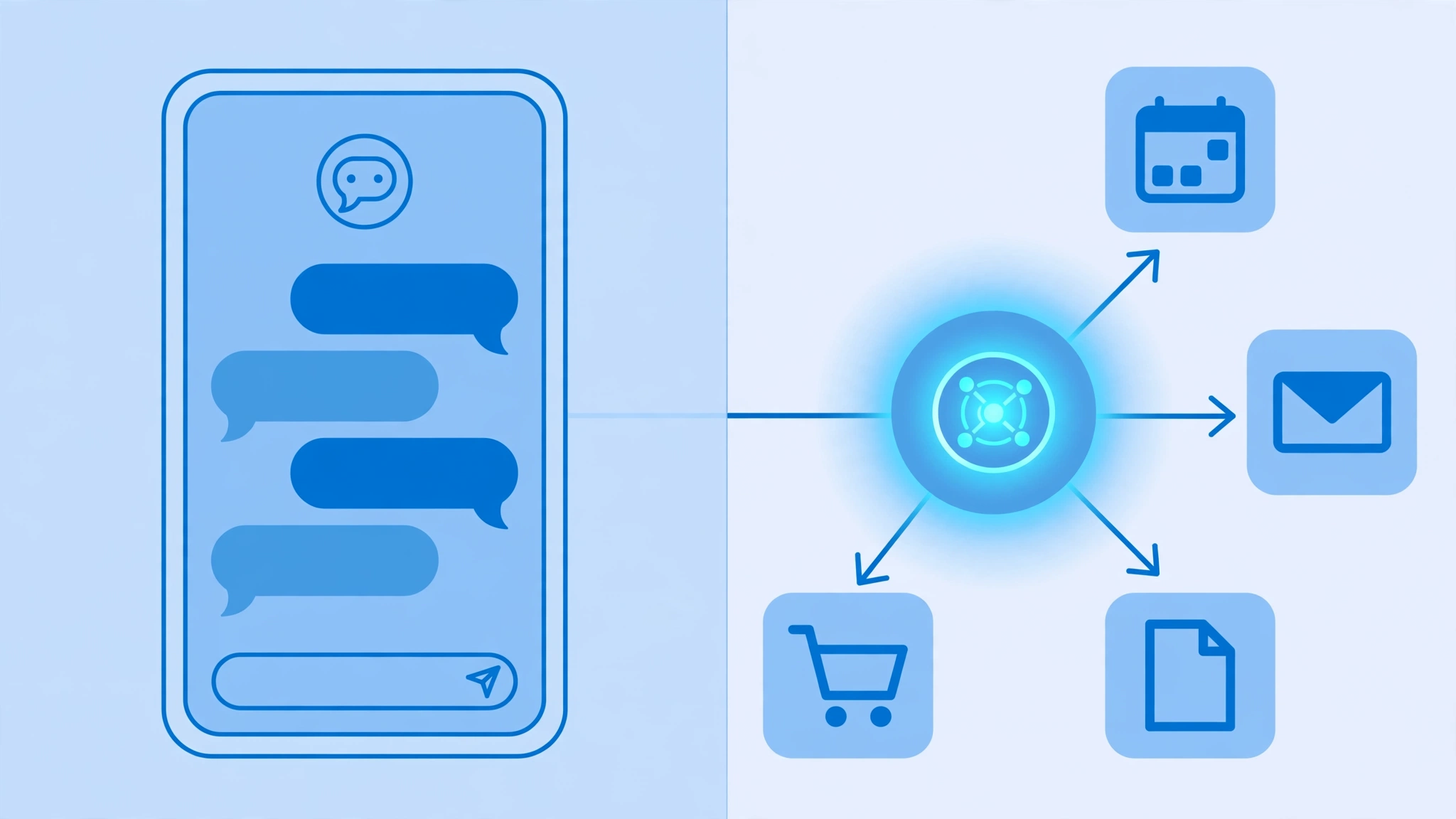
The ai agent vs chatbot difference confuses buyers, partly because “AI agent” sells better than “chatbot.” It matters for budgeting.
| Chatbot | AI Agent | |
|---|---|---|
| Core behavior | Responds to messages with text | Pursues goals by taking actions |
| Decision-making | Follows scripts or decision trees | Plans steps and adapts to results |
| Tool use | Usually none, or fixed lookups | Calls APIs, updates systems |
| Memory | Little beyond the conversation | Short and long-term task memory |
| Example | Answers “what are your hours?” | Resolves a refund: checks order, applies policy, issues refund, notifies customer |
A chatbot answers; an agent acts. For common questions, a chatbot is cheaper and sufficient. For multi-step work across systems, you need an agent, budgeted accordingly.
Why Businesses Are Investing in AI Agents
Analyst firm Gartner projects 40% of enterprise applications will embed task-specific AI agents by end of 2026, up from under 5% in 2025. The driver is arithmetic: businesses pay people to read data, make routine decisions and update other systems, and agents run that loop at software speed. Companies evaluating ai agents for business should start with one question: which manual loop costs the most each month?
The highest-value use cases for AI agents for business
Customer support triage. An agent classifies tickets, pulls customer history, drafts resolutions, and escalates only hard cases. High volume and a well-defined workflow are why support leaders report the biggest wins here. See also our guide to improving vacation rental guest satisfaction.
Lead qualification and routing. Inquiries get scored, enriched with company data and routed to the right salesperson within minutes, day or night.
Internal knowledge search. Employees ask in plain language and get answers grounded in company documents instead of digging through wikis.
Document processing. Invoices, contracts and forms get extracted, validated and filed: unglamorous work consuming enormous staff hours.
Inbox and scheduling. Agents triage email, draft replies for approval and handle scheduling across time zones.
Successful automation shares a pattern: high volume, clear inputs, measurable outcomes. Start where the manual loop costs most, not where the technology looks most impressive.
How to Build AI Agents: A Practical Roadmap
No machine learning team is required. This roadmap shows how to build ai agents the safe way: one workflow at a time, tested before launch, with a technical partner implementing while you own the key decisions.
Step 1: Pick one workflow. Choose one process where a person reads data, decides and updates another system: support triage, lead qualification, invoice extraction. Skip regulated processes for the pilot.
Step 2: Write a one-page spec. Name the agent by function (“Support Triage Agent”). List ten requests it must handle. Define what a wrong answer looks like and its damage. Confirm data ownership.
Step 3: Map data access. List every system the agent needs (CRM, helpdesk, billing), each owner, and what is machine-readable. Ownership questions deferred to deployment stall rollouts by weeks.
Step 4: Choose the build path. No-code platforms ship a simple agent in days but lock you into one vendor. Frameworks like LangChain, CrewAI or the OpenAI Agents SDK give full control but need developers. Custom builds suit only true competitive advantages.
Step 5: Prototype against five pass/fail tests. Write tests first, for example: “A refund under $50 with no prior claims processes without human review.” Ship only if all five pass.
Step 6: Set approval boundaries. Decide what the agent may do alone (draft replies, look up records) versus what needs approval (messaging customers, refunds above a threshold, deleting records). These written rules are your safety system.
Step 7: Test failure cases. Feed the prototype confusing and hostile inputs, including prompt injection attempts. Serious evaluation catches most problems before users see them.
Step 8: Deploy with monitoring. Log every action, track cost per task, and keep a human reviewer for the first months.
Step 9: Iterate on real usage. The first version will fail in ways no test predicted. Review failures weekly and feed corrections back into instructions and data.
Build or Buy: AI Agent Development Services Explained
AI agent development services are firms that design, build, integrate and maintain agents for clients. Hiring one is often the fastest route to production, but not always the right one.
Build in-house when the agent handles proprietary data, the workflow is a genuine competitive advantage, or you employ engineers who can own it long-term. Highest upfront cost, full control and IP.
Buy services or platforms when speed beats ownership, you have no AI team, or the use case is standard. Firms report starter builds of $20,000 to $50,000 across 4 to 16 weeks, and larger builds of $50,000 to $100,000 across 16 to 24 weeks. No-code platforms start under $500 per month.
The deciding questions: Is this workflow core to beating competitors, or table stakes? Can our data legally go to a vendor? Who maintains it in twelve months? Starting lean, apply the discipline in our small business budget guide: fund the pilot from the savings it should create.
What Does AI Agent Development Cost in 2026?

Reported ranges cluster into four tiers (vary by region, team and scope):
| Tier | What you get | What you get | Monthly run cost |
|---|---|---|---|
| No-code pilot | Single workflow on a platform | $0 to $5,000 setup | $20 to $500 |
| Simple agent | Single workflow, 1 to 3 integrations | $5,000 to $30,000 | $100 to $600 |
| Workflow agent | Multi-step, several integrations | $30,000 to $120,000 | $1,000 to $10,000 |
| Custom enterprise | Multi-agent, deep integrations | $100,000+ | $5,000+ |
Surprises hide outside the build budget: data preparation (cleaning your knowledge base commonly takes 20 to 40 percent of project time), evaluation and security testing, quarterly maintenance as models change, compliance review for sensitive data, and human review labor early on. Teams skipping evaluation usually pay later in incidents and rework.
Real-World Examples of AI Agents in Business
A retailer’s support agent resolves common issues fully: reading tickets, checking order and warranty status, applying returns policy, issuing refunds, escalating only ambiguous cases. A software firm’s lead agent scores demo requests overnight, researches each company and books qualified prospects into calendars. A services firm runs a research agent drafting client briefs from approved sources, with practitioners editing instead of writing from scratch. Each owns one workflow, works inside approval boundaries, and keeps a human accountable: the realistic shape of production-ready AI in 2026.
Challenges and Limitations to Plan For
Hallucination. Models can state falsehoods confidently. Ground answers in your documents, require citations, keep humans on high-stakes outputs.
Prompt injection and data leaks. Hidden instructions in content the agent reads can make it reveal data or ignore rules. Treat external inputs as untrusted; restrict tool permissions.
Data quality. An agent trained on messy company data automates confusion at scale. Cleaning the knowledge base is unglamorous and non-negotiable.
Integration complexity. Legacy systems, authentication and data mapping are where timelines slip. Map every integration before committing to dates.
Compliance. Agents touching personal, financial or health data need privacy review early; retrofitting compliance later is expensive.
Cost surprises. A looping agent can burn API budget fast. Cap per-task spending; use smaller, cheaper models for routine steps.
Staff adoption. Involve affected people, frame the agent as removing drudgery rather than replacing judgment, and retrain staff for higher-value work. Successful teams shift from processing to supervising and handling exceptions.
How to Measure ROI on an AI Agent
Define success before the pilot: manual hours removed weekly, average resolution time, error rate versus the manual baseline, cost per task, and where relevant, conversion or satisfaction lift.
Do the payback math plainly. A support workflow costing $8,000 a month in staff time, an agent at $1,500 a month to run, plus $1,000 for a reviewer during ramp-up: $5,500 monthly saving once stable. Against a $30,000 build, payback lands around six months. Track monthly for two quarters; performance improves as real failures feed back in. Set a kill threshold up front, such as error rates above baseline after 90 days.
Frequently Asked Questions
Q: What is an AI agent in business?
A: Software that perceives its environment, plans multi-step work and acts through tools and APIs to reach a goal with minimal human direction. Typical examples: support triage agents, lead qualification agents and document processing agents running supervised inside company workflows.
Q: What is the difference between an AI agent and a chatbot?
A: A chatbot responds with text, usually following scripts or decision trees. An agent plans steps, calls tools, updates systems and adapts until a goal is complete. Choose a chatbot for simple questions; an agent for multi-step work across systems.
Q: How do businesses build production-ready AI agents?
A: They pick one well-defined workflow, write a spec with test cases and failure definitions, map data access, choose a build path (no-code, framework or custom), prototype against pass/fail tests, set human approval boundaries, evaluate hostile inputs, then deploy with monitoring and weekly reviews.
Q: How much does AI agent development cost?
A: Reported 2026 ranges: near zero for no-code pilots, $5,000 to $30,000 for simple single-workflow agents, $30,000 to $120,000 for multi-step workflow agents, $100,000+ for custom enterprise systems. Add monthly run costs plus data prep, testing, maintenance and human review.
Q: Do I need developers to build an AI agent?
A: Not for a first pilot: no-code platforms let business users build simple agents without code. Frameworks like LangChain or CrewAI need Python developers; custom builds need experienced engineers. Most businesses start no-code and hire developers after the pilot proves value.
Q: Are AI agents safe for customer data?
A: With the right design: restrict system access, require human approval for sensitive actions, log everything, encrypt data, and complete a full privacy review before launch. Never grant broader access than the task needs, and treat external inputs as untrusted.
Conclusion
AI agent development in 2026 is no longer an experiment for tech giants. It is a practical discipline: pick one expensive manual workflow, define success and approval boundaries, build a tested pilot, and measure the payback. Winners have the clearest workflows, the best data, and the discipline to keep humans accountable.
Your next step is concrete. This week, identify one workflow where someone reads data, makes a routine decision and updates another system, then write five pass/fail tests for it. That single page turns an AI idea into a buildable project. For more practical business guides, explore Voice of Wave.